
Navigating the world of technology as a parent can feel like standing at the edge of a vast ocean—exciting, but where do you even begin? The good news? You don’t need to dive straight into the deep end. Sometimes, it’s the small, simple tools you already know and love that can create the biggest waves of change. Here’s how to start.
—
1. Google Keep: Turning Chaos into Colourful Calm
Got a hectic schedule that makes your head spin? Google Keep is like a virtual organiser, but friendlier and bursting with colour. It’s perfect for visually organising tasks and routines, making it a fantastic tool for children with ALN.
I am an everyday user of Keep notes. Squirrelling away all those little snippets of information that don’t really fit anywhere else. Ranging from Switch Port numbers that I’ve used in work to Interesting Minecraft Coordinates, or even listing what I’ve ordered from the local take away, so when I fancy trying something new I don’t order the same again. Google Keep is the true little notepad that we all used to keep on our desks.
Standout Features:
Create colour-coded visual schedules.
Add checklists for everyday tasks (e.g., packing school bags).
Sync across devices to keep everyone in the loop.
Set reminders for time-sensitive tasks.
Imagine this: a neat checklist reminding your child to pack their PE kit or a vibrant, visual schedule breaking down the morning routine. It’s all there—no more “Wait, did we miss swimming lessons?” moments!
—
2. YouTube Kids: Where Fun Meets Learning
Who knew screen time could be so smart? YouTube Kids is a treasure trove for little learners. It offers a safe, curated environment for kids to explore content that educates and entertains.
Standout Features:
Kid-friendly educational videos on a variety of topics.
Sensory videos and calming content for relaxation.
Guided meditation or bedtime stories for unwinding.
Robust parental controls to customise content access.
Picture this: your child mesmerised by a video explaining the water cycle or giggling at calming sensory clips before bedtime. And for those quieter moments? Pop on a guided relaxation video—it’s like a hug for their mind.
—
3. Siri, Alexa or Google Assistant: Your Friendly Digital Ally
Smart assistants aren’t just for playing tunes or telling you the weather. They can be game-changers for ALN families, bringing structure and interaction into daily life.
Standout Features:
Set routines for tasks like waking up, brushing teeth, or bedtime.
Interactive games to build vocabulary and cognitive skills.
Hands-free reminders for transitions or tasks.
Low-pressure communication practice for kids.
Imagine your child interacting with Alexa for a quick spelling game or using a morning routine where Alexa gently nudges them to get ready. It’s speech practice, organisation, and fun—all rolled into one.
As AI develops, they are becoming more personable & interactive, as mentioned in our previous blog post — How AI Became My Familys Unexpected Ally: Meet Jeremy
With the right prompting they can provide virtual companionship.
—
4. Calm and Headspace: Pocket-Sized Peace of Mind
Some days feel like a whirlwind, don’t they? These mindfulness apps help calm the storm, offering tools for emotional regulation and better sleep.
Standout Features:
Guided meditations designed for kids.
Sleep stories to create a soothing bedtime routine.
Breathing exercises for managing anxiety or sensory overload.
Easy-to-navigate interface for all ages.
Imagine your child finding solace in a three-minute meditation or drifting off to sleep with a magical bedtime story. These small moments of calm can make a world of difference.
—
5. Microsoft OneNote: A Digital Learning Hub
Microsoft OneNote is a free, flexible digital notebook that’s perfect for organising schoolwork, therapy notes, or even creative projects.
Standout Features:
Create sections for different subjects or routines.
Add pictures, audio clips, or videos for a multimodal approach.
Collaborate with teachers or therapists by sharing notes.
Accessible across devices for convenience.
OneNote turns chaos into structure. It’s like having an educational Swiss Army knife in your pocket.
—
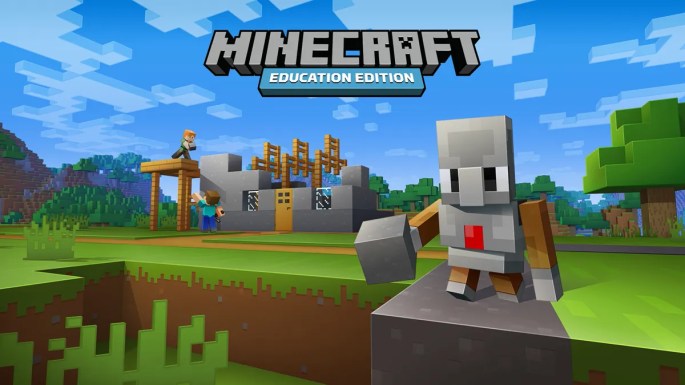
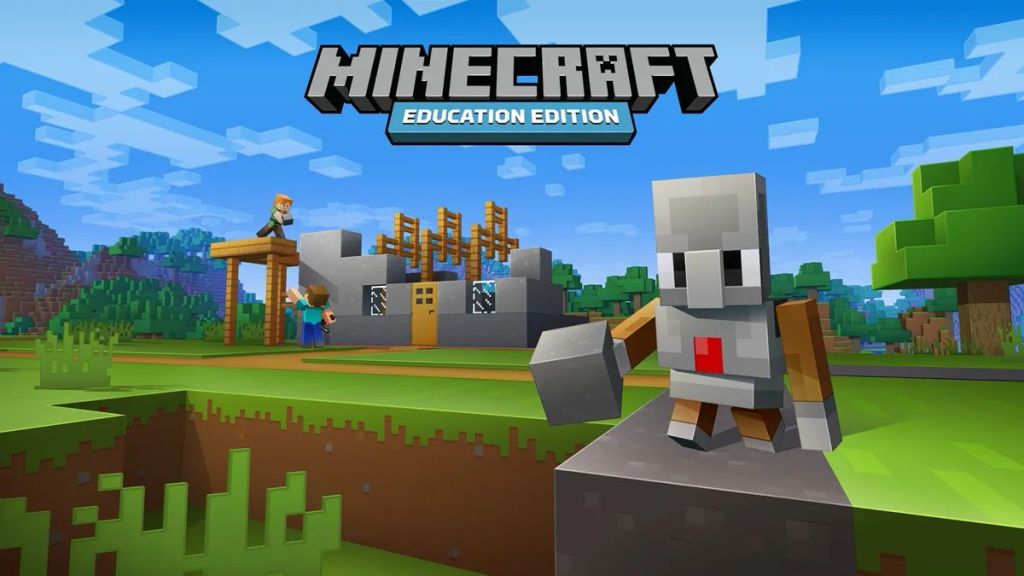
6. Minecraft Education Edition: Learning Disguised as Play
Here’s a surprising twist: Minecraft isn’t just about building blocky castles or fending off creepers. Its Education Edition transforms the popular game into a powerhouse for learning.
Standout Features:
Collaborative projects to build teamwork and communication skills.
Custom lessons in coding, history, or science.
Problem-solving challenges disguised as gameplay.
Endless creative opportunities to spark imagination.
Even the standard version offers incredible benefits for kids, allowing them to practice planning, spatial awareness, and creativity—all while having a blast.
For more information about Minecraft, please check out our previous blog post– Unlocking potential with Minecraft how the blocky world supports ALN and beyond
—
7. Canva: Creativity Unleashed
For kids who think visually, Canva is like opening a magical art box. This graphic design tool inspires self-expression while supporting learning goals.
Standout Features:
Customisable templates for flashcards, visual schedules, or social stories.
Easy drag-and-drop tools for all skill levels.
Options for collaborative projects with parents or teachers.
A wide variety of free resources and graphics.
Want to create a social story about visiting the dentist? Done. Fancy designing colourful flashcards for maths? Easy. It’s creativity without limits.
—
8. Trello: Taming the To-Do List
Trello, known for its project management capabilities, is a fantastic tool for visually managing routines and responsibilities.
Standout Features:
Digital “boards” for organising tasks visually.
Drag-and-drop functionality for tracking progress.
Personalisation with photos, emojis, or colours.
A fun way to teach time management and organisation.
Think of it as a digital sticky-note wall but without the mess. Your child can move tasks from “To Do” to “Done” and feel a sense of accomplishment every step of the way.
—
9. Speechify: Reading Support, Simplified
For children who find reading a challenge, Speechify is a game-changing text-to-speech app that brings words to life.
Standout Features:
Converts text from books, PDFs, or websites into audio.
Customisable playback speed to suit your child’s pace.
Available across mobile and desktop platforms.
Encourages reading comprehension and confidence.
Imagine your child following along with a storybook as Speechify reads it aloud, boosting their understanding and enjoyment.
—
10. Microsoft Teams and Zoom: Connection and Social Learning
Video conferencing tools like Microsoft Teams and Zoom aren’t just for business meetings—they can be invaluable for ALN support, especially for fostering social interactions and remote learning.
Standout Features:
Virtual Playdates: Schedule online play sessions or social interactions with friends and family to build social skills.
One-on-One Learning: Use breakout rooms or private calls for focused tutoring or therapy sessions.
Interactive Learning: Share screens to make lessons more visual and engaging.
Consistency Across Platforms: Sync meetings and schedules, so everyone knows when and where to connect.
Imagine setting up a virtual study group where your child can work collaboratively on a project or using Zoom’s whiteboard feature for an interactive maths lesson. It’s an easy, accessible way to bring connection and education into your home.
—
Final Thoughts: Small Steps, Big Wins
Technology doesn’t need to be intimidating or expensive to make a difference. Sometimes, the tools we already use every day hold the keys to unlocking new possibilities for ALN families. Experiment with one tool, see what clicks, and build from there. After all, even the tiniest steps can lead to the biggest smiles.
What’s your go-to tech tip for making life a little easier? Share your stories in the comments—I’d love to hear them!
 Cwtch & Code